
![[AndyB] Video](/data/resource_icons/4/4436.jpg?1720149256)
- Compatibilidad con XF
- 2.2.x
- Descripción breve
- Embed videos seamlessly with our feature allowing MP4 and WEBM URLs. Automatically adds HTML5 tag, plays on all browsers, and resizes for mobile devices. Setup includes custom CSS for optimal viewing experience.
Allows adding a URL with either the MP4 or WEBM extension and upon saving the post will automatically add a video tag and embed a video player.
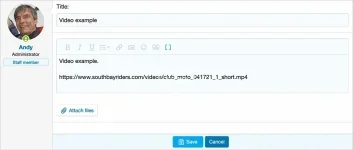
(Example of video URL pasted into editor)
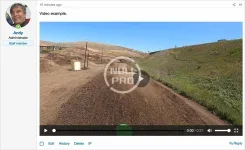
(Example of post after saving, video player is automatically embedded)
Features:
Open the extra.less template and add the following code:
How to use:
(Example of video URL pasted into editor)
(Example of post after saving, video player is automatically embedded)
Features:
- Uses HTML <video> tag.
- Plays MP4 and WEBM files.
- Uses full URL in text portion of the BB code.
- URL's can be internal or external.
- Plays on all popular browsers.
- Automatically resizes player to fit mobile phones.
Open the extra.less template and add the following code:
CSS:
// video
.videotag {
    width: 100%;
    height: 100%;
    max-width: 640px;
    max-height: 480px;
    background: #000000;
}
How to use:
- Create or edit a post.
- Paste a video URL that ends with .mp4 or .webm extension.
- Save post.
- Click the play button to watch video.


![[AndyB] Forum reply ban](/data/resource_icons/5/5016.jpg?1743490331)
![[AndyB] Advertising responsive](/data/resource_icons/7/7380.jpg?1720149273)

