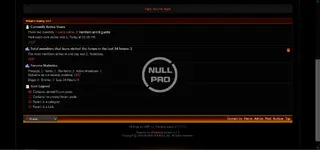
Black & Orange Style vb

Black & Orange Style vb 4.2.x

No tiene permiso para descargar
Descripción breve
Black & Orange Style
Black Orange style vBull 4.2 (1).webp


Black Orange style vBull 4.2 (2).webp

INSTRUCTIONS ON INSTALLATION::

1. Extract ZIP folder.There will be Upload foler, PSD folder and readme.txt
2. In the Upload folder, there is a skin folder, please upload the skin folder using FTP into your forum images/ directory
(eg for Achik , upload the Achik folder into your vBulletin 4.0.x forum /images folder.

*******************************************
3. Log into your vBulletin admincp.
4. Choose Styles & Templates -> Download/Upload Styles
5. Under Import Style XML File, click on "Browse..."
6. Find the Upload folder (from the ZIP you downloaded-extracted). Select the vbulletin-style.xml.
7. Click Import
Autor
theresa
Vistas
376
Tipo de extensión
zip
Tamaño de archivo
1,6 MB
Primer lanzamiento
Última actualización
Valoraciones 0,00 estrella(s) 0 valoraciones
Link was Broken? Please Enviar mensaje al equipo NP y te ayudaremos rápidamente!
Apoia al desarrollador i estás satisfecho con la prueba o tu proyecto te ha generado ganancias, haz clic en el botón «Más información» para apoyar al desarrollador comprando.

Más recursos de theresa

Geoport - Transport & Logistics WordPress Theme T
Geoport is the best WordPress theme for logistics, transport, and cargo company Websites.
Admin and Site Enhancements (ASE) T
easily enhance various admin workflows and site aspects while replacing multiple plugins
Masteriyo PRO  - LMS for WordPress Plugins T
You must ensure that you have installed each necessary before you can start using the Masteriyo.
Superior