

- Descripción breve
- We are excited to introduce our new Code Crafters Compatible Sales Module
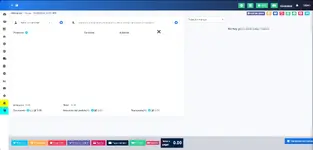
We are excited to introduce our new Code Crafters Compatible Sales Module, designed to simplify your sales operations and enhance your business efficiency.
Key Features:
Essential Compatibility: Necessary to use the sales functions of the Code Crafters modules, as these do not run in the native POS.
Sales Window Similar to the Traditional One: The POSPlus module adds a sales window that looks like the traditional one but includes additional functions to enhance your experience.
Seamless Integration: Compatible with other Code Crafters modules.
Code-Level Optimization: Although the changes are not visible at first glance, we have optimized the code to ensure smooth integration.
User-Friendly: Intuitive and easy-to-navigate interface.
INSTALL
To enable the Code Crafters Compatible Sales Module, you need to add an entry to your modules_statuses.json file. Follow these steps:
Locate the modules_statuses.json file:
This file is typically found in the root directory of your application.
Open the modules_statuses.json file:
Use a text editor to open the file.
Add the module entry:
Add the following line within the JSON object to enable the module:
JSON:
"CodeCraftCurrencyAdd": trueSave the changes and close the text editor.
Restart your application to apply the changes.
Proceed to install from the module manager:


