Glover POS extension

Glover POS extension 1.4.2

No tiene permiso para descargar
Descripción breve
For Glover
image.png
POS is to sell to onsite/call-in customers
HOW TO INSTALL
Here are the steps needed to have POS installed on your server.
1.
Buy/Download the extension
2.
Go to extensions menu on your backend
3.
Click on Install button, and import the pos zipped file that you downloaded
4.
Then click on Install button
NOTE: You might have to refresh your page to load the new POS menu

HOW TO USE
Login to the backend
1.
Scroll to the bottom of the menu list, there should be a new menu, POS
2.
Select POS
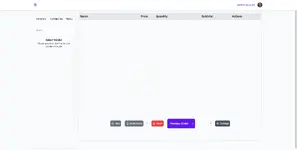
SCREENSHOTS
  • Me gusta
Reacciones: kulick y Mohamedzaky
Autor
theresa
Vistas
324
Tipo de extensión
zip
Tamaño de archivo
738,8 KB
Primer lanzamiento
Última actualización
Valoraciones 0,00 estrella(s) 0 valoraciones
Link was Broken? Please Enviar mensaje al equipo NP y te ayudaremos rápidamente!
Apoia al desarrollador i estás satisfecho con la prueba o tu proyecto te ha generado ganancias, haz clic en el botón «Más información» para apoyar al desarrollador comprando.

Últimas actualizaciones

  1. 1.4.2 - changelog
    no changelog for this version
  2. 1.3.0 - 2023-02-01
    no changelog

Más recursos de theresa

Geoport - Transport & Logistics WordPress Theme T
Geoport is the best WordPress theme for logistics, transport, and cargo company Websites.
Admin and Site Enhancements (ASE) T
easily enhance various admin workflows and site aspects while replacing multiple plugins
Masteriyo PRO  - LMS for WordPress Plugins T
You must ensure that you have installed each necessary before you can start using the Masteriyo.

Recursos similares

Superior