- Compatibilidad con Whmcs
- 8.x
- Descripción breve
- Hetzner Cloud Server Automation (Hetzner Cloud Module) is a WHMCS Provisioning Module
online demo in here
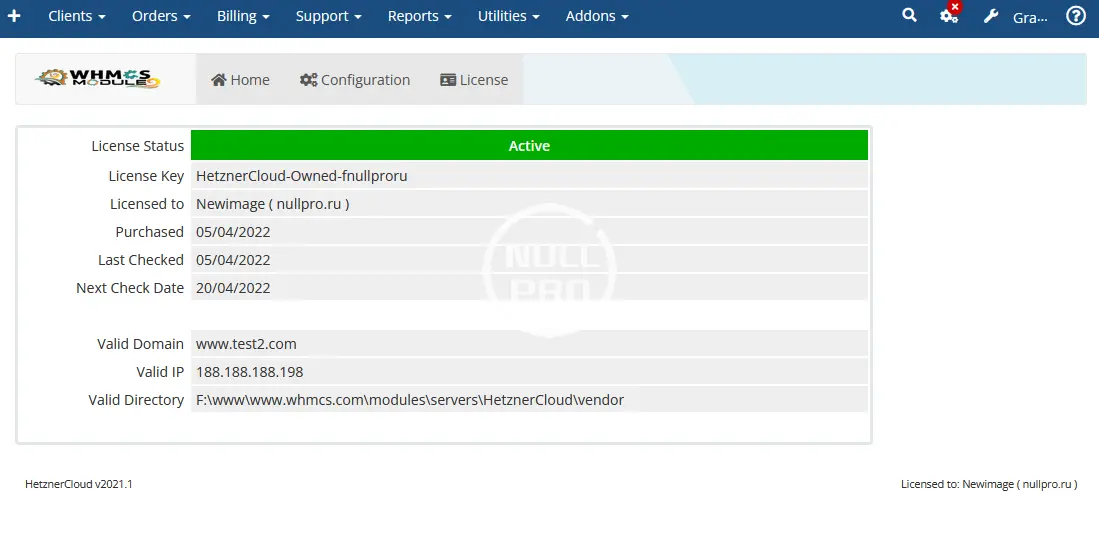
please write key like :
Hetzner Cloud Server Automation (Hetzner Cloud Module) is a WHMCS Provisioning Module that enables you to manager Hetzner Cloud Instances within and using your WHMCS Billing Panel. Your customers can manage almost all the features that is required from a end user point of view and below are the noticeable features that you and your end user can perform using our module.
**Demo/Installation/Upgrade Video is at: https://secure.whmcsmodule.net/knowledgebase/1/Hetzner-Cloud-Installation.html **
========================= Features =========================
Para ver el Contenido, necesita Iniciar Sesión o Registrarse.
please write key like :
Hetzner Cloud Server Automation (Hetzner Cloud Module) is a WHMCS Provisioning Module that enables you to manager Hetzner Cloud Instances within and using your WHMCS Billing Panel. Your customers can manage almost all the features that is required from a end user point of view and below are the noticeable features that you and your end user can perform using our module.
**Demo/Installation/Upgrade Video is at: https://secure.whmcsmodule.net/knowledgebase/1/Hetzner-Cloud-Installation.html **
========================= Features =========================
- Instant Activation of Cloud Server on Payment received
- Automatic Suspension
- Automatic Unsuspension
- Automatic Termination
- Unlimited Hetzner Projects
- Upgrade/ Change Packages
- View Bandwidth Usages Statistics (with ability to real time refresh)
- View current month Graphs (CPU, Disk, Network)
- View/ Reset VM/ Rescue Mode Password
- Power On/Power Off/Reboot/Hard Reset Server
- View VM Running Status And Details
- View Assigned IPv4 and IPv6 Addresses
- Set/ Reset IPv4 and IPv6 Reverse DNS
- Add Floating IP/ Set/ Reset Reverse DNS
- Enable/Disable Floating IP Protection
- Rebuild VM With Chosen OS Distribution
- Mount/Unmount ISO Images for OS Installation such as Windows
- Enable/Disable/ Create/ Delete/ Restore Backups
- Enable/ Disable/ Create/ Rename Volume and its Protection
- View noVNC Console
- Enable/Disable Rebuild/ Deletion Protection
- Create/Suspend/Unsuspend/Terminate Server
- Power On/Power Off/Reboot/Hard Reset Server
- View/Reset Server Password & Rescue Mode Password
- View VM Running Status And Details
- View Assigned IPv4 and IPv6 Addresses
- Set/ Reset IPv4 and IPv6 Reverse DNS
- Add Floating IP/ Set/ Reset Reverse DNS
- Enable/Disable Floating IP Protection
- Rebuild VM With Chosen OS Distribution
- Mount/Unmount ISO Images for OS Installation such as Windows
- Enable/Disable/ Create/ Delete/ Restore Backups
- Enable/ Disable/ Create/ Rename Volume and its Protection
- View noVNC Console
- Set Access Control for services for Admin and Client
- Upgrade/ Change Packages
- View Bandwidth and Update Hostname
- Enable/Disable Rebuild/ Deletion Protection
- Set your own Reverse PTR which will be auto setup for your IPs on deploy for Primary IP Address
- Add/ Delete Unlimited Projects
- Manage and Import VMs into WHMCS
- Power On/Power Off/Reboot/Hard Reset Server
- View/Reset Server Password & Rescue Mode Password
- View VM Running Status And Details
- View Assigned IPv4 and IPv6 Addresses
- Set/ Reset IPv4 and IPv6 Reverse DNS
- Add Floating IP/ Set/ Reset Reverse DNS
- Enable/Disable Floating IP Protection
- Rebuild VM With Chosen OS Distribution
- Mount/Unmount ISO Images for OS Installation such as Windows
- Enable/Disable/ Create/ Delete/ Restore Backups
- Enable/ Disable/ Create/ Rename Volume and its Protection
- View noVNC Console
- View Bandwidth and Update Hostname
- Enable/Disable Rebuild/ Deletion Protection
- Create Product with Cloud Server Packages that includes Location, Plan Name, and Project Name in which Servers will be created automatically
- Backup Purchase
- Volume Purchase
- Floating IP Purchase
- Select OS
- Provide SSH Key
- Provide Post Installation Script
- Select Server Location
- WHMCS latest version
- IonCude Loaders
- Module License Key
- Hetzner Cloud API (Project Based)